SEO Tools for Freelancers: A Lean Per-Client Stack
SEO tools for freelancers that fit per-client work: use a lean free stack, pay as you go for research, and upgrade only when daily use earns it.
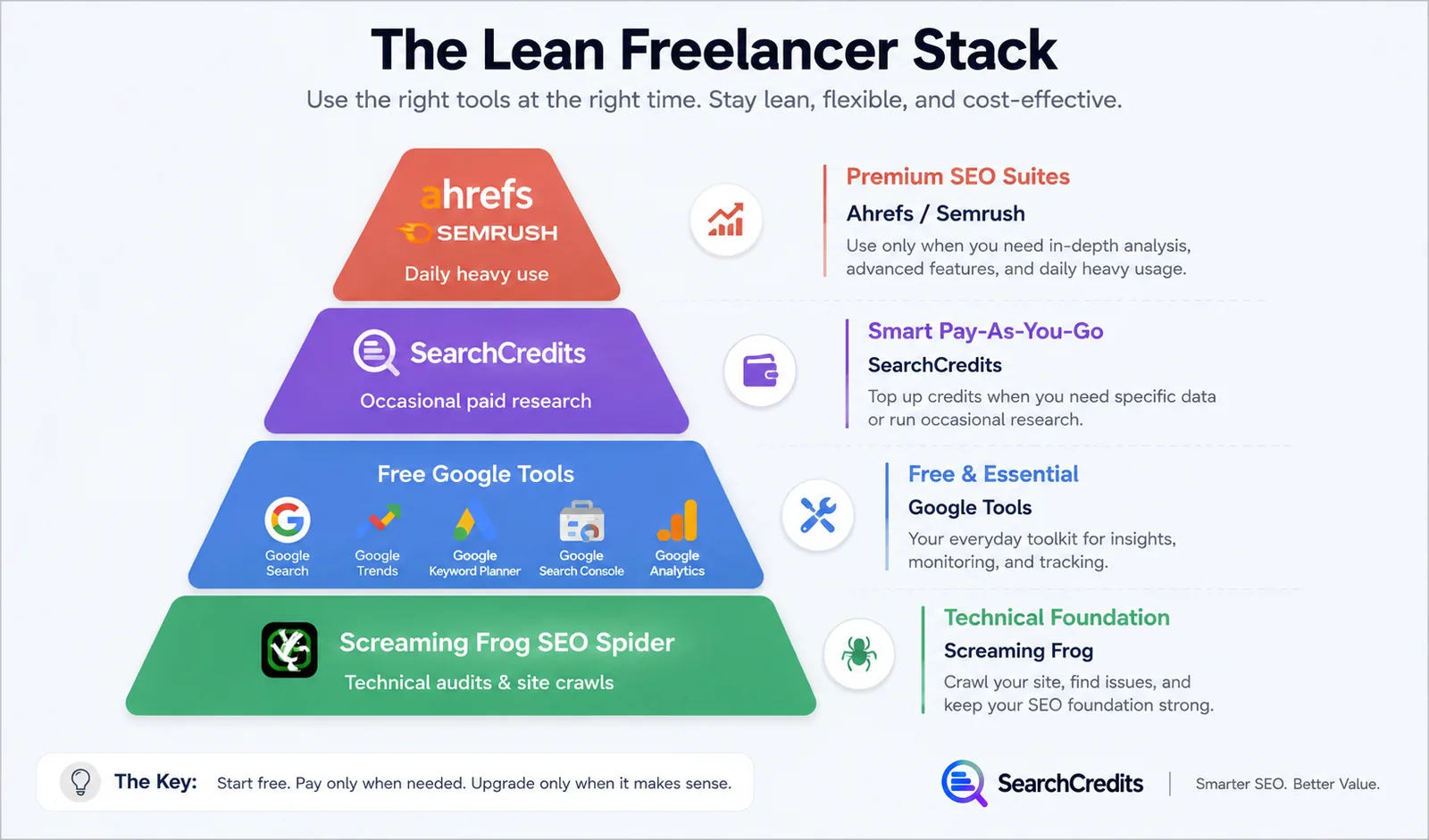
The best SEO tools for freelancers are the ones you can switch on when a client needs them and stop paying for when the job ends. I recommend starting with Google’s free tools, the free tier of Screaming Frog, and pay-as-you-go research through SearchCredits. Move to an Ahrefs or Semrush subscription only when you use it heavily enough, across enough clients, to justify a monthly bill.
That advice may sound obvious, but it runs against how most SEO software is sold.
Freelance SEO work is spiky. One week you need keyword and competitor research for three proposals. The next week is mostly client calls, content edits, and invoicing. A fixed subscription keeps billing you through both weeks.
I have never liked the idea that a freelancer must assemble an expensive agency stack before winning agency-sized work. Software should follow revenue, not precede it.
Why fixed SEO subscriptions hurt freelancers
A full SEO platform can be good value when a team uses it every day. The problem is utilization.
Suppose you buy a subscription for one client audit. You use it intensely for four days, send the deliverables, and then leave it mostly untouched for the rest of the month. The software has not become bad, but the economics are bad for your business.
The pressure gets worse when you have a small or uneven client roster. You may feel forced to:
- build the subscription cost into every retainer;
- accept lower margins on small projects;
- rush research into the current billing period;
- keep a tool because you might need it next month.
I prefer to split tools into three buckets: free essentials, usage-based research, and full subscriptions for daily operators. That keeps my base cost low while leaving room to expand when client demand is real.
SEO tools for freelancers: my lean client stack
Google Search Console
Google Search Console is where I start once a client has verified access. It shows how Google sees the site and helps diagnose indexing, crawling, and search performance issues.
The Performance report is especially useful for client work. I can review queries, pages, countries, devices, clicks, impressions, click-through rate, and average position. That gives me a first-party view of what is already earning visibility.
Search Console is not a competitor research platform, and I do not pretend it is. Its strength is the client’s own Google Search data.
Google Analytics
Google Analytics provides free analytics tools for understanding what visitors do after reaching the site. I use it to connect search work with landing-page engagement, conversions, and other business outcomes the client cares about.
That distinction matters. Rankings and clicks can indicate progress, but most clients hired me because they want leads, sales, sign-ups, or qualified traffic. Analytics helps keep the conversation tied to those outcomes.
PageSpeed Insights
PageSpeed Insights is a quick way to review page performance on mobile and desktop. It combines field data, when available, with lab diagnostics and improvement suggestions.
I use it during discovery and technical reviews, but I do not turn every recommendation into an emergency. A useful freelancer report separates material problems from a long list of possible optimizations. Clients need priorities, not a screenshot of every warning.
Screaming Frog SEO Spider free tier
The free version of Screaming Frog SEO Spider crawls up to 500 URLs. That is enough for many freelancer clients, especially local businesses, portfolios, service companies, and smaller content sites.
I use it to inspect status codes, titles, meta descriptions, headings, canonicals, internal links, and other crawlable elements. The 500-URL limit is also a useful commercial boundary: if a client’s site is larger or the project needs advanced crawling features, I can include the paid requirement in the estimate rather than absorbing it without discussion.
SearchCredits for spiky paid research
For occasional paid SEO research, I use SearchCredits rather than treating another fixed monthly bill as unavoidable. It fits projects where research demand rises and falls by client, and rank tracking is priced per keyword checked, so a small client list stays cheap. For a tool-by-tool breakdown with per-client costs, see what each SearchCredits tool costs a freelancer.
SearchCredits costs $1 per 100 credits, and every action shows its credit cost before it runs. New accounts get free credits. Purchased and free credits remain valid for 12 months, which gives a freelancer time to use them across irregular projects instead of forcing all usage into the month of purchase. The optional $9/month membership includes 1,500 credits a month, and unused credits roll over for about three months, so I would only choose it when my expected usage is steady.
This is the spending rule I follow: pay as you go when work is intermittent; consider a membership only when recurring usage makes the commitment sensible. For more detail on this approach, read How to Do Keyword Research Without a Subscription.
SEO tool pricing at a glance
Prices and limits can change, so check the linked pricing pages before buying.
| Tool | Published entry price or free limit | Best fit for a freelancer |
|---|---|---|
| Google Search Console | Free | Site performance in Google Search, indexing, and issue diagnosis |
| Google Analytics | Free tools available | Traffic, behavior, conversions, and client reporting |
| PageSpeed Insights | Free | Quick page-performance checks |
| Screaming Frog SEO Spider | Free for up to 500 URLs | Small-site technical audits and crawl checks |
| SearchCredits | $1 per 100 credits; no subscription required | Intermittent paid research without a fixed subscription |
| Ahrefs | From $129/month | Frequent research across an active client roster |
| Semrush | From $139/month | Daily use across research, tracking, and broader campaigns |
Ahrefs and Semrush can both make sense. I would upgrade when I am inside the tool most working days, its limits match my client load, and the time saved is worth more than the fee.
If that threshold has not been reached, a subscription can become an expensive security blanket. My longer comparison of lower-commitment options is in Ahrefs Alternatives for Flexible SEO Research.
A per-client workflow that controls tool spend
1. Discovery
I begin with the client’s site, Search Console access, Analytics access, and a short list of known competitors. I check current search visibility, top landing pages, indexing signals, site size, and obvious performance problems.
For a small site, the Screaming Frog free tier may cover the entire crawl. I use PageSpeed Insights on representative templates rather than testing random URLs until I have a clear purpose.
If the opportunity needs paid keyword or competitor research, that is where pay-as-you-go usage belongs. I buy or use credits for the job instead of adding a permanent software commitment by reflex.
2. Proposal and estimate
The proposal should state what research and tooling the project requires. I estimate usage based on the questions I need to answer, not on a vague promise of “full SEO analysis.”
For example, I might scope:
- a crawl of the client site;
- research around specific services or product categories;
- review of a defined competitor set;
- a hand-picked keyword set for ongoing tracking.
If the site exceeds a free crawl limit or the requested work needs a paid platform, I put that cost into the estimate. Clients generally understand direct project expenses when I explain them before the work begins.
3. Execute
During execution, each tool gets a job.
Search Console shows existing Google Search performance. Analytics shows what visitors do. Screaming Frog checks the site at scale. PageSpeed Insights supports performance diagnosis. Paid research fills the gaps where the client’s first-party data cannot answer market and competitor questions.
I avoid collecting data simply because a tool can produce it. Every query, crawl, or report should support a recommendation, a deliverable, or a decision.
4. Export or save the deliverables
Before closing the project, I save the material the client paid for. Depending on the tool and task, that may mean using its available export function, downloading reports, saving screenshots, or manually recording findings in a spreadsheet or document.
My client folder usually contains the cleaned data, the final recommendations, and a note explaining the date and source of each dataset. This matters because tool access may end, interfaces change, and usage-based results should not have to be purchased twice just because I failed to save my work.
5. Track a hand-picked keyword set
I do not track every phrase uncovered during research. I choose a smaller set that represents the client’s services, commercial priorities, locations, and content plan.
A focused set is easier to maintain and explain. I review it alongside Search Console data, because a tracker and the client’s actual search performance answer different questions. If ongoing tracking becomes large or operationally heavy, that is another signal that a full subscription may now earn its keep.
When I would upgrade to Ahrefs or Semrush
I would consider a full platform when several of these are true:
- I use paid research on most working days.
- Multiple active clients need recurring competitor or keyword work.
- Ongoing tracking has become too large for a manual process.
- Platform features save more billable time than the subscription costs.
- The monthly price can be allocated cleanly across retained revenue.
At published starting prices of $129 per month for Ahrefs and $139 per month for Semrush, the decision deserves more than “serious SEOs use one.”
Buy the tool when your workflow proves the need. Until then, the lean stack is capable enough to discover opportunities, audit smaller sites, prepare proposals, deliver recommendations, and monitor results without loading your business with idle software.
Frequently asked questions
What are the best free SEO tools for freelancers?
My starting set is Google Search Console, Google Analytics, PageSpeed Insights, and the free Screaming Frog SEO Spider. Together they cover first-party search performance, visitor behavior, page-speed diagnosis, and crawls of up to 500 URLs.
Is the Screaming Frog free tier enough for client audits?
It can be enough for sites with 500 URLs or fewer, depending on the audit scope. Larger sites and projects that need paid features should have the required license included in the proposal.
Should freelancers pay for Ahrefs or Semrush?
Yes, when they will use the platform heavily and consistently. If usage is occasional, paying $129 or $139 every month may produce a poor return compared with free tools and pay-as-you-go research.
How long do SearchCredits last?
Purchased and free credits remain valid for 12 months. Optional membership credits are use-or-lose, so membership is better suited to predictable recurring usage.
How should I charge clients for SEO tools?
I separate baseline business overhead from project-specific usage. If a client requires paid research, a larger crawl, or another direct tool expense, I include it in the estimate and explain what it supports.