Google Shopping Visibility: What It Is and Why It Matters
Google Shopping visibility is whether your product shows up when someone searches for it, and where. Here's what determines it and how to check yours.
Google Shopping visibility is whether your product actually appears when someone searches for it, and how high it sits among the other sellers who show up for the same search. It is decided per search term, not once for your whole store, which is why a product can rank well for one phrase and be nowhere for a close variant.
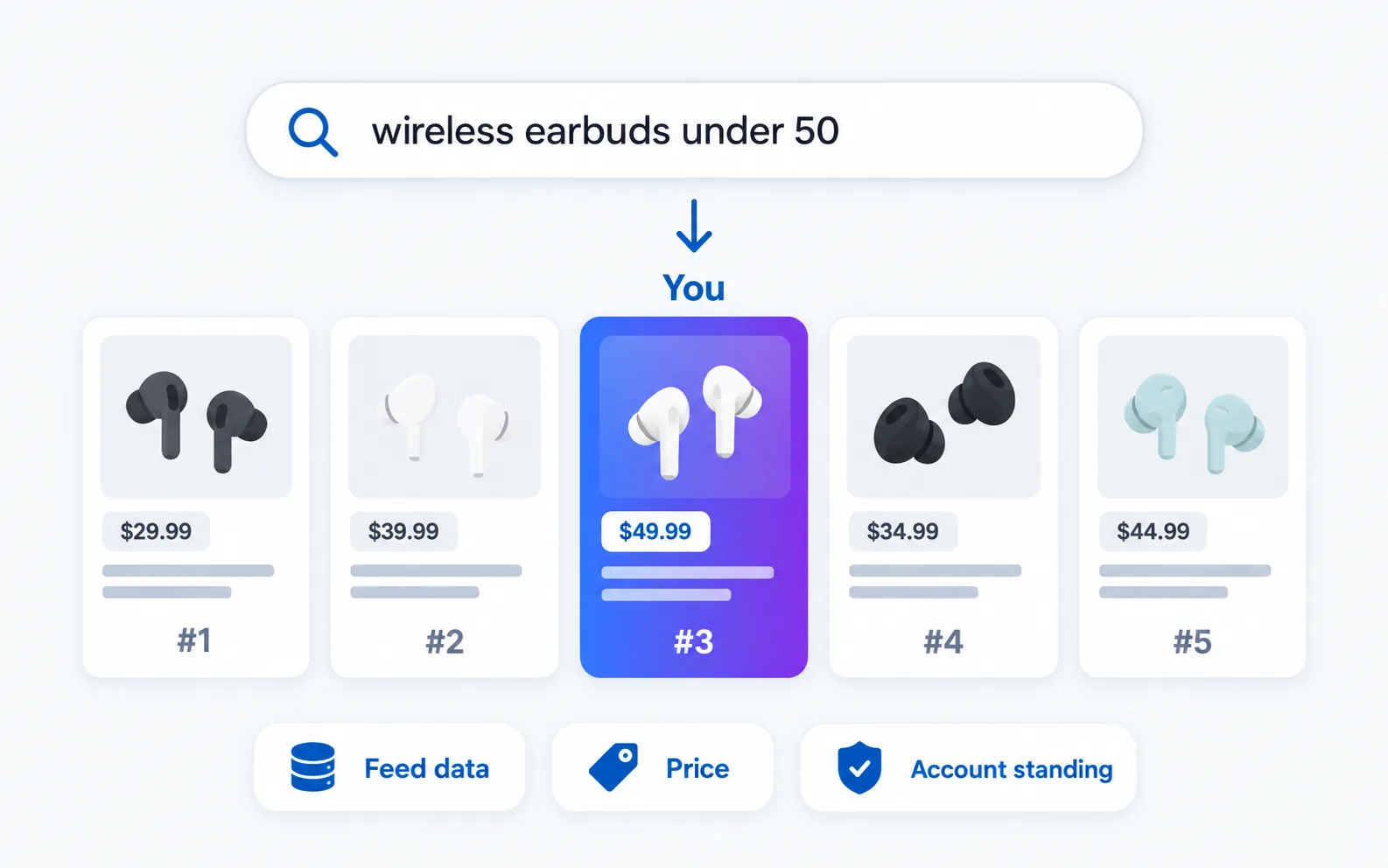
What Google Shopping visibility actually measures
Search for a product on Google and the shopping results are a live auction plus relevance match, not a fixed list. The sellers you see for “wireless earbuds under 50” are not the same sellers you see for “noise cancelling earbuds,” even for near-identical products. Your visibility is really a set of answers to one question asked many times: for this specific search, am I in the results, and where.
Three things drive it. Your product feed data (title, description, category, images, price) has to match what people are actually typing, which is a bigger factor than most sellers expect. Your price relative to other listings for the same or similar product matters, since Shopping results skew toward the sellers people are likely to click. And your Merchant Center account standing, meaning feed approval status and policy compliance, decides whether you are even eligible to show up at all before any ranking factor kicks in.
Why it is worth tracking, not just setting up once
A Shopping feed is not a page you publish and leave. Competitors change prices daily, sometimes hourly during sales periods. Google updates how it matches search terms to products. Your own feed can quietly fall out of sync with your actual catalog, a stale price or an out-of-stock item still showing as available. Any of these can knock a previously well-placed listing out of view without an error message telling you it happened.
The practical risk is that you find out you have lost visibility for a keyword from a drop in sales, weeks after it happened, rather than from checking the results directly. A quick spot check for your important product searches now and then catches this before it shows up in revenue.
What to check
For a product you care about, search Google Shopping for the terms a real buyer would use, not your internal product name. Note whether you show up at all, and if you do, roughly where. Look at who else appears for that search and what they are priced at. Do this for a handful of your most important product searches, not your entire catalog, since checking everything every day is not a realistic habit for most sellers.
Google’s own Merchant Center documentation covers feed requirements and approval status, which is the first thing to check if a product is not showing up at all, before assuming it is a ranking problem.
The feed problem hides in plain sight
Most sellers treat the product feed as a setup task, something configured once when the store launched and left alone. That is usually where visibility problems start. A title field copied straight from the internal SKU name, a category picked once and never revisited as Google’s taxonomy changes, or a description that never mentions the terms a buyer would type all quietly cap how many searches a product can match, regardless of price or account standing.
The fix is not complicated, just easy to neglect. Titles should read the way a shopper searches, brand and product type and a defining feature or two, not an internal naming convention. Categories should be checked against what similar, well-ranking listings use. Descriptions benefit from actually including the phrases from your own keyword research rather than marketing copy alone. None of this requires a tool, just a periodic pass through the feed with a buyer’s search terms in mind instead of your own internal language.
Checking it without doing it by hand
Searching Google Shopping manually for a handful of products a few times a week is doable but easy to let slide, especially once you are tracking price changes too. I built Shopping Visibility into SearchCredits for exactly this: give it a product search and your store’s domain, and it returns the full seller lineup for that search, your own listing’s position if you appear, and the price range across the sellers who do. It is a single lookup for 10 credits, about $0.10, so checking your important product searches a few times a month costs less than the products themselves.
It pairs with Price Watch, which tracks a specific product’s price and listing quality over time rather than the whole competitive lineup for a search term. Shopping Visibility answers “do I show up, and against whom.” Price Watch answers “how has this one listing changed.”
For the keyword research behind picking which product searches to prioritize, my guide to keyword research without a subscription covers finding real search volume for free before you spend anything on paid checks. And if Shopping is one piece of a bigger SEO tool stack you are weighing, SEO tools for freelancers walks through the rest of what a lean toolkit looks like. The same “am I showing up” question applies to AI answers, which my post on AI visibility covers, and to the map pack, covered in local SEO tools.
Frequently asked questions
What is Google Shopping visibility?
It is whether your product appears in Google’s shopping results for a specific search, and where it ranks among the other sellers shown for that same search. It is decided per search term based on your feed data, price, and Merchant Center account standing.
Why does a product show for one search but not a similar one?
Because Shopping results match the search term against your feed’s title, description, and category data, close variants of the same query can pull different matches. A product optimized for “running shoes” might not surface for “trail running shoes” if that phrasing is not reflected anywhere in the feed.
How often should I check my Shopping visibility?
There is no fixed schedule, but checking your most important product searches every week or two catches a lost placement before it shows up as a sales drop. Daily checks make sense during a sale or price war; monthly is often enough the rest of the time.
Does price affect Google Shopping ranking?
Yes, price relative to other sellers showing for the same search is one of the factors, alongside feed data quality and account standing. It is not the only factor, so the cheapest listing does not always win placement, but a price far out of line with competitors makes it harder to show up.
What is the difference between Shopping visibility and a price watch?
Shopping visibility shows the full competitive picture for a search term, meaning who else shows up and where you land among them. A price watch tracks one specific product listing’s price and quality over time. Use visibility to find where you stand, and a price watch once you know which listings to keep an eye on.